
 EN
EN
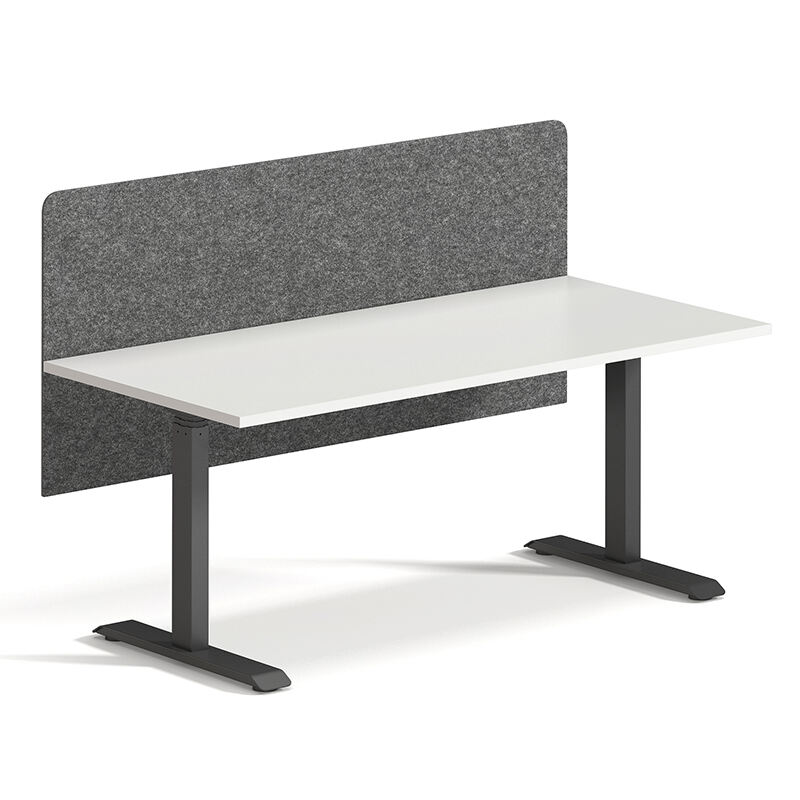
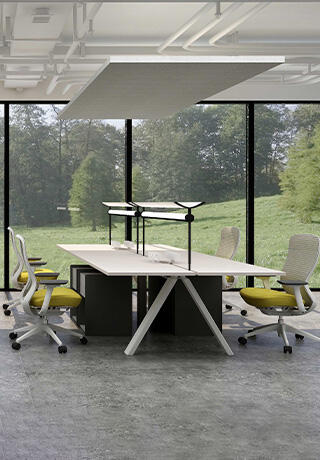
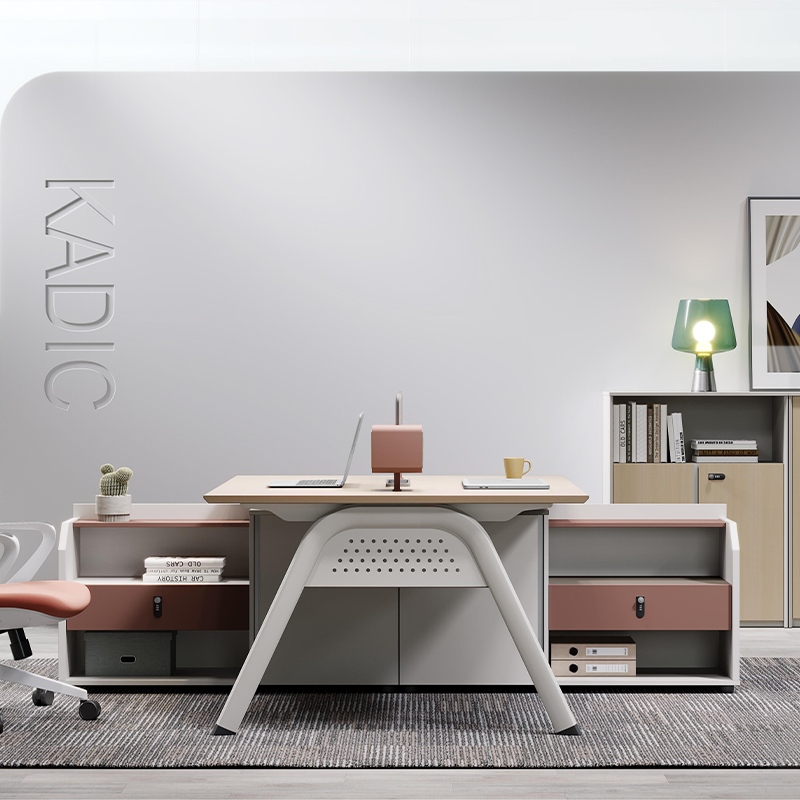
Modern workstation design represents a critical intersection where functionality meets visual appeal, creating environments that enhance productivity while maintaining professional aesthetics. Organizations worldwide recognize that effective workstation design directly impacts employee satisfaction, operational efficiency, and brand perception. The challenge lies in achieving the perfect balance between practical requirements and visual harmony, ensuring that workspaces serve their intended purpose without compromising on style or comfort.
Contemporary professionals spend significant portions of their day at workstations, making the design decisions crucial for long-term well-being and performance. Successful workstation design encompasses ergonomic considerations, technological integration, space optimization, and aesthetic coherence. These elements must work together seamlessly to create an environment that supports various work activities while reflecting organizational values and design principles.
The evolution of workstation design has been influenced by changing work patterns, technological advances, and growing awareness of workplace wellness. Today's design approaches emphasize flexibility, adaptability, and user-centric solutions that accommodate diverse work styles and preferences. Understanding these foundational principles enables designers and decision-makers to create workstations that truly serve their intended users while maintaining visual appeal and professional standards.
Understanding Functional Requirements in Workstation Design
Ergonomic Considerations and User Comfort
Ergonomic principles form the foundation of effective workstation design, directly influencing user health, comfort, and productivity. Proper workstation design must accommodate natural body positioning, reduce strain on joints and muscles, and support extended periods of work without causing fatigue or discomfort. Key ergonomic factors include monitor positioning at appropriate eye levels, keyboard and mouse placement that maintains neutral wrist positions, and seating arrangements that support proper spinal alignment.
Height adjustability represents a crucial ergonomic feature in modern workstation design, allowing users to customize their workspace to match individual physical requirements. Standing desk options and sit-stand capabilities have become increasingly important, enabling users to alternate between sitting and standing positions throughout the day. These adjustable features must be integrated smoothly into the overall design aesthetic without creating visual clutter or compromising stability.
Lighting considerations play a vital role in ergonomic workstation design, affecting visual comfort and reducing eye strain during extended computer use. Proper task lighting, ambient illumination, and glare control must be incorporated into the design framework while maintaining aesthetic appeal. The placement and selection of lighting elements should complement the workstation's visual design while providing optimal illumination for various work activities.
Technology Integration and Cable Management
Modern workstation design must seamlessly integrate various technological components while maintaining clean, organized appearances. Effective cable management systems hide unsightly wires and connections, creating streamlined workspaces that appear professional and uncluttered. These management solutions should be built into the workstation structure, providing easy access for maintenance and updates while keeping cables organized and protected.
Power distribution and connectivity requirements must be carefully planned within the workstation design framework. Multiple devices require reliable power sources and data connections, necessitating strategically placed outlets, USB ports, and network connections. These functional elements should be integrated discretely into the design, maintaining accessibility while preserving the workstation's visual integrity and professional appearance.
Device compatibility and future-proofing considerations ensure that workstation design remains relevant as technology evolves. Modular approaches to technology integration allow for updates and modifications without requiring complete workstation replacement. This forward-thinking design philosophy balances current functional needs with anticipated future requirements, creating sustainable solutions that maintain their value over time.
Aesthetic Principles and Visual Design Elements
Color Psychology and Material Selection
Color choices in workstation design significantly impact mood, productivity, and overall workspace atmosphere. Neutral color palettes provide timeless appeal and professional appearances while allowing for accent colors that reflect organizational branding or personal preferences. The psychological effects of colors must be considered alongside aesthetic preferences, ensuring that color selections support focused work activities while creating visually pleasing environments.
Material selection influences both aesthetic appeal and functional performance in workstation design. High-quality materials such as solid wood, metal frameworks, and durable laminates provide longevity while contributing to professional appearances. The combination of different materials creates visual interest and tactile variety, enhancing the overall design experience while maintaining practical considerations such as durability, maintenance requirements, and cost-effectiveness.
Surface finishes and textures add depth and sophistication to workstation design while serving practical purposes such as fingerprint resistance and scratch protection. Matte finishes reduce glare and reflections, improving visual comfort during computer work, while textured surfaces provide grip and tactile feedback. These functional benefits should align with aesthetic goals, creating cohesive design solutions that serve multiple purposes simultaneously.
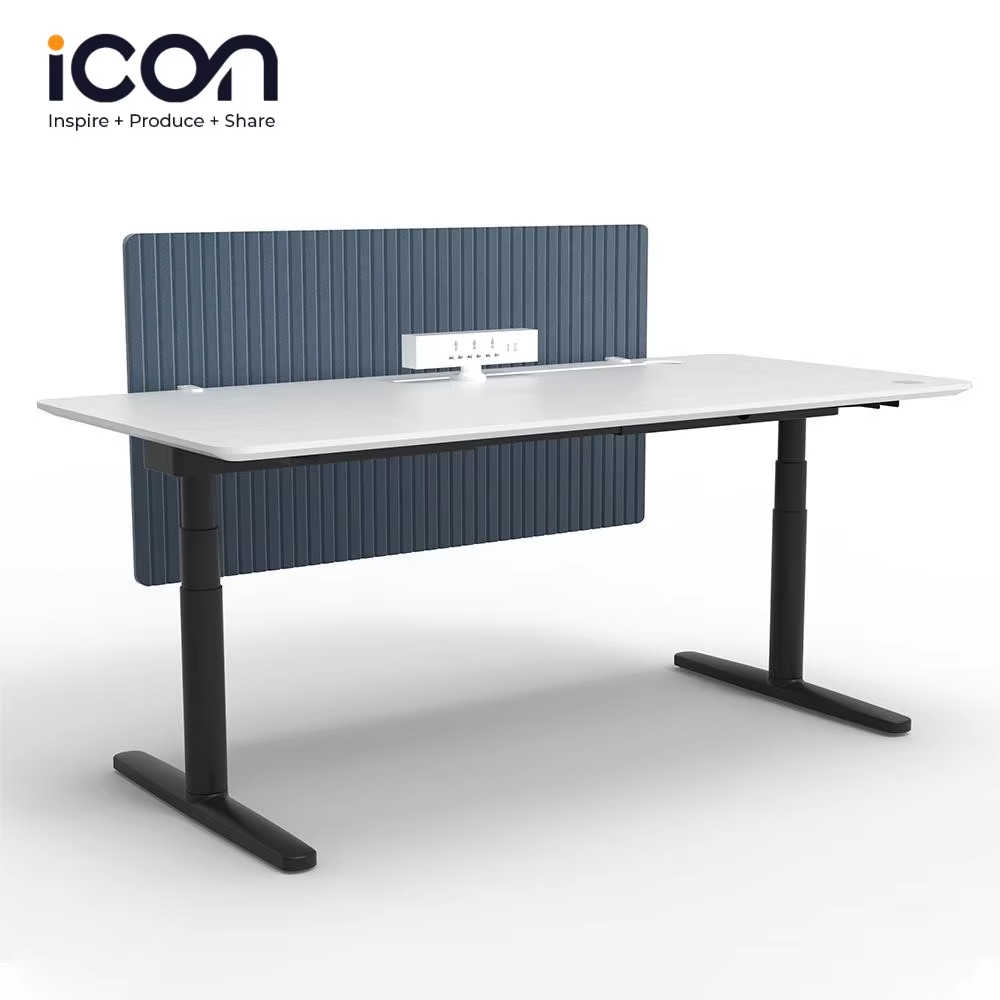
Spatial Harmony and Proportional Balance
Proportional relationships between different workstation elements create visual harmony and professional appearances. The scale of work surfaces, storage components, and support structures must be carefully balanced to avoid overwhelming or underwhelming the user experience. Proper proportions contribute to perceived quality and craftsmanship while ensuring that functional requirements are met without aesthetic compromise.
Visual weight distribution across the workstation design prevents any single element from dominating the overall composition. Balanced arrangements of solid and open elements, light and dark components, and smooth and textured surfaces create dynamic yet harmonious appearances. This balanced approach ensures that the workstation feels stable and well-designed while maintaining visual interest and professional appeal.
Geometric relationships and alignment principles guide the placement of workstation components, creating orderly and sophisticated appearances. Clean lines, consistent spacing, and deliberate asymmetries contribute to modern design aesthetics while supporting functional organization. These geometric considerations help establish visual rhythms and patterns that enhance the overall design coherence and professional impression.
Space Optimization and Layout Strategies
Efficient Storage Solutions
Integrated storage solutions maximize workspace efficiency while maintaining clean, uncluttered appearances essential for professional environments. Effective workstation design incorporates various storage options including drawers, shelving, filing systems, and personal item storage that blend seamlessly with the overall aesthetic. These storage elements should be strategically positioned to provide easy access without interfering with primary work activities or compromising visual appeal.
Modular storage components offer flexibility and adaptability within workstation design frameworks, allowing users to customize organization systems according to specific needs and preferences. These modular elements can be rearranged, added, or removed as requirements change, providing long-term value and user satisfaction. The visual consistency of modular components maintains aesthetic coherence while offering functional versatility.
Hidden storage solutions preserve clean sight lines and minimalist aesthetics while providing ample organization capacity. Under-surface drawers, concealed compartments, and integrated filing systems keep necessary items accessible yet out of view, contributing to organized and professional workspace appearances. These hidden elements must be easily accessible and well-designed to ensure regular use and long-term functionality.
Workflow Optimization and Accessibility
Workflow analysis informs workstation design decisions, ensuring that frequently used items and functions are positioned within easy reach while less common elements are stored appropriately. This user-centered approach to design prioritizes efficiency and reduces unnecessary movement or strain during typical work activities. The placement of components should support natural work patterns while maintaining aesthetic balance and visual appeal.
Accessibility considerations ensure that workstation design accommodates users with diverse physical abilities and requirements. Universal design principles create inclusive workspaces that serve all users effectively while maintaining professional appearances and functional excellence. These considerations include appropriate reach ranges, clear sight lines, tactile indicators, and adjustable components that accommodate various user needs.
Traffic flow and movement patterns around workstations influence both individual productivity and overall office dynamics. Adequate clearances, logical component placement, and consideration of adjacent workspaces contribute to smooth operations and positive user experiences. These spatial planning considerations must balance individual workstation requirements with broader office layout goals and aesthetic objectives.
Technology Integration and Modern Features
Digital Display Management
Multi-monitor setups have become standard in many professional environments, requiring workstation design solutions that support multiple displays while maintaining clean, organized appearances. Monitor arms, integrated mounting systems, and cable management solutions must be incorporated into the design framework without creating visual clutter or compromising stability. The positioning and alignment of multiple monitors should enhance productivity while contributing to the workstation's professional aesthetic.
Screen height and angle adjustability ensure optimal viewing comfort while accommodating users of different heights and seating preferences. These adjustment mechanisms should operate smoothly and maintain positions reliably while integrating seamlessly with the overall workstation design. The visual impact of adjustment hardware should be minimized through thoughtful design and strategic placement within the overall composition.
Glare control and reflection management protect visual comfort and screen visibility through strategic positioning and environmental considerations. Anti-glare solutions, lighting coordination, and surface selection all contribute to optimal viewing conditions while maintaining aesthetic appeal. These considerations ensure that technology integration enhances rather than detracts from the overall workstation design quality.
Connectivity and Power Management
Comprehensive connectivity solutions support diverse technology requirements while maintaining organized and professional appearances. Built-in USB hubs, charging stations, network connections, and audio interfaces should be strategically positioned for easy access without creating cable clutter or visual disruption. These connectivity elements must be future-proofed to accommodate evolving technology requirements and user preferences.
Power management systems ensure reliable electricity distribution while protecting equipment and maintaining safety standards. Surge protection, power conditioning, and emergency shutdown capabilities should be integrated into the workstation design framework without compromising aesthetics or accessibility. These systems contribute to long-term reliability and user confidence while supporting professional operational standards.
Wireless technology integration reduces cable requirements while maintaining connectivity and functionality. Built-in wireless charging surfaces, Bluetooth connectivity options, and Wi-Fi optimization contribute to clean, minimalist workstation appearances while supporting modern technology usage patterns. These wireless solutions should complement rather than replace wired options, providing comprehensive connectivity choices for diverse user preferences.
Sustainability and Environmental Considerations
Material Sustainability and Lifecycle Management
Sustainable material selection in workstation design considers environmental impact, durability, and end-of-life disposal options. Recycled materials, renewable resources, and low-impact manufacturing processes contribute to responsible design practices while maintaining quality, durability, and aesthetic appeal. These sustainable choices often provide unique visual characteristics and textures that enhance rather than compromise design quality.
Durability and longevity planning ensures that workstation design investments provide long-term value while reducing environmental impact through extended service life. High-quality construction, repairable components, and timeless design approaches prevent premature obsolescence and reduce waste generation. This long-term perspective aligns environmental responsibility with economic efficiency and design excellence.
Modular design principles support sustainability through component reusability, upgradeability, and customization options. Users can modify, expand, or reconfigure workstations as needs change without replacing entire systems, reducing waste and extending useful life. These modular approaches often provide aesthetic benefits through visual variety and personalization opportunities while supporting environmental objectives.
Energy Efficiency and Environmental Impact
Energy-efficient lighting integration reduces power consumption while providing optimal illumination for work activities. LED task lighting, automated controls, and daylight harvesting systems contribute to environmental responsibility while enhancing user comfort and productivity. These energy-efficient solutions often provide superior light quality and control options compared to traditional alternatives, supporting both environmental and functional objectives.
Climate control considerations within workstation design contribute to overall building energy efficiency and user comfort. Proper airflow management, thermal mass utilization, and passive cooling strategies reduce HVAC loads while maintaining comfortable working conditions. These environmental considerations must be balanced with aesthetic goals and functional requirements to create holistic design solutions.
Waste reduction strategies during manufacturing, installation, and eventual disposal phases minimize environmental impact throughout the workstation lifecycle. Efficient material utilization, minimal packaging, and recyclable component selection contribute to responsible design practices while maintaining quality and performance standards. These considerations ensure that aesthetic and functional excellence align with environmental stewardship principles.
FAQ
What are the most important factors to consider when balancing function and aesthetics in workstation design?
The most crucial factors include ergonomic requirements that support user health and comfort, technology integration that maintains clean appearances while providing necessary connectivity, and material selection that offers both durability and visual appeal. Successful workstation design requires careful attention to proportional relationships, color harmony, and spatial organization while ensuring that all functional requirements are met without compromise. The key is to approach each design decision with both aesthetic and functional criteria in mind, seeking solutions that excel in both areas rather than trading one for the other.
How can workstation design accommodate changing technology requirements while maintaining aesthetic consistency?
Modular design approaches and built-in flexibility enable workstations to adapt to evolving technology requirements without sacrificing aesthetic coherence. Strategic planning for cable management, power distribution, and device connectivity ensures that new technologies can be integrated seamlessly into existing design frameworks. Future-proofing strategies include oversized conduits for cable expansion, modular connectivity panels, and standardized mounting systems that accommodate various device types and sizes while maintaining visual consistency and professional appearances.
What role does lighting play in achieving both functional and aesthetic goals in workstation design?
Lighting serves multiple purposes in workstation design, providing task illumination that reduces eye strain while contributing to the overall aesthetic atmosphere and mood. Proper lighting design includes layered approaches with ambient, task, and accent lighting that can be adjusted according to work requirements and personal preferences. The integration of lighting elements into the workstation structure creates seamless appearances while providing optimal illumination conditions for various work activities, supporting both productivity and visual comfort throughout the workday.
How can storage solutions be integrated into workstation design without compromising visual appeal?
Effective storage integration relies on thoughtful planning that conceals organization systems while maintaining easy accessibility and functional efficiency. Hidden compartments, under-surface drawers, and integrated filing systems preserve clean sight lines while providing ample storage capacity for necessary work materials and personal items. The visual consistency of storage components with the overall workstation design ensures that functional requirements enhance rather than detract from aesthetic goals, creating organized and professional workspace environments that support both productivity and visual appeal.
Table of Contents
- Understanding Functional Requirements in Workstation Design
- Aesthetic Principles and Visual Design Elements
- Space Optimization and Layout Strategies
- Technology Integration and Modern Features
- Sustainability and Environmental Considerations
-
FAQ
- What are the most important factors to consider when balancing function and aesthetics in workstation design?
- How can workstation design accommodate changing technology requirements while maintaining aesthetic consistency?
- What role does lighting play in achieving both functional and aesthetic goals in workstation design?
- How can storage solutions be integrated into workstation design without compromising visual appeal?